
Download Video Compress Lite – Free Video Compression Tool for Windows, Mac, Android & iOS
Overview
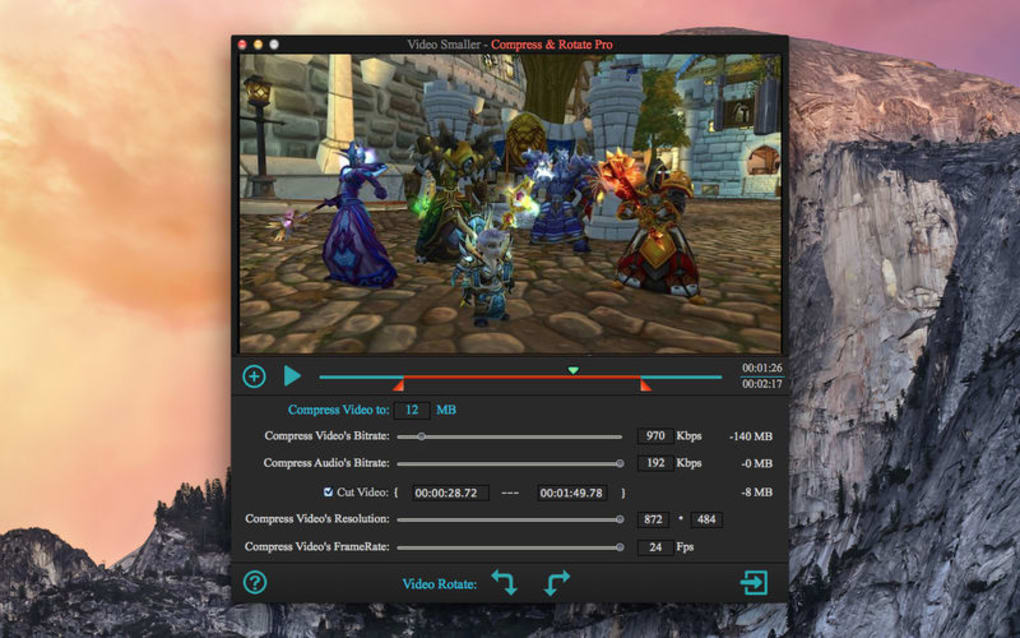
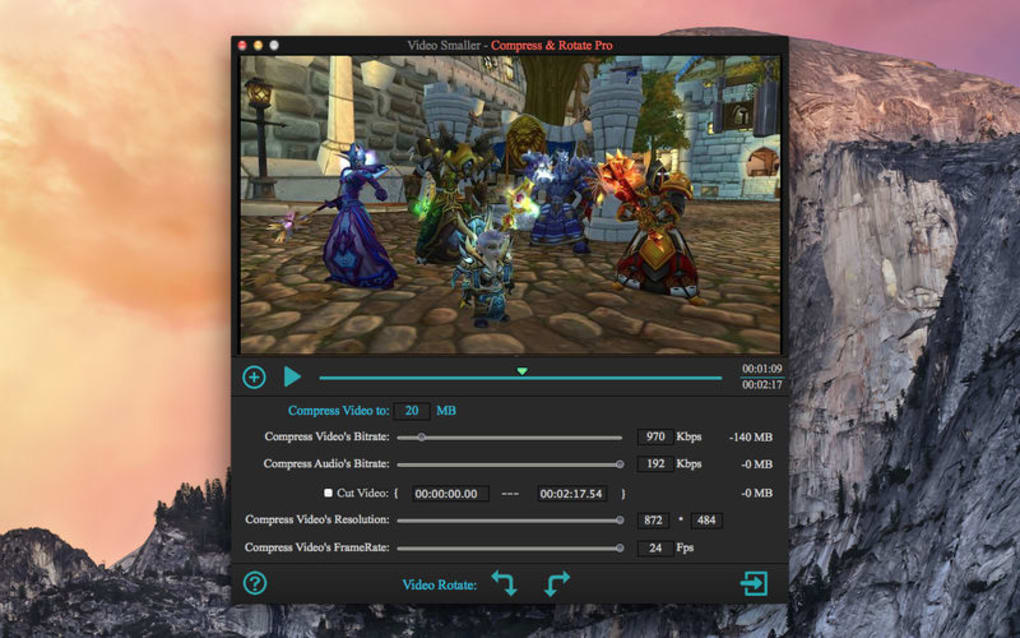
Video Compress Lite is a free, lightweight video compression utility that lets you shrink, trim, and re‑encode video files with just a few clicks. Designed for everyday users, the app targets those who need to free up storage space, share videos faster, or adapt a high‑resolution clip for playback on a smaller screen such as a smartphone or tablet. The interface is intentionally simple: you drag a video into the main window, select a preset or customize the output resolution, bitrate, and audio settings, then press “Compress.” In a single pass, the software can reduce file sizes by up to 30×, although extreme compression may affect visual fidelity.
The “Lite” moniker signals that the free version carries a watermark on the output video—a reminder that a premium upgrade removes the branding and unlocks advanced presets. Despite the watermark, Video Compress Lite remains a handy utility for quick, on‑the‑fly compression when you don’t have time for a full‑featured editor. It supports the most common video containers (MP4, MOV, AVI, MKV) and codecs (H.264, H.265, AAC), making it a versatile companion for both Windows and macOS desktops, as well as Android and iOS mobile devices.
Because it runs locally, you retain full control over your media, which is a security advantage over cloud‑based compressors that require uploading files to external servers. Whether you’re a student needing to send a short lecture clip, a marketer preparing social‑media ads, or a traveler compressing vacation footage for a USB stick, Video Compress Lite offers a free, secure, and straightforward solution.
Key Features
- Fast size reduction – up to 30× compression while preserving acceptable quality.
- Resolution scaling – easily switch from 1080p to 720p, 480p, or custom dimensions.
- Bitrate control – adjust video and audio bitrate for optimal balance between size and clarity.
- Trim & cut – remove unwanted sections without re‑encoding the entire file.
- Batch processing – compress multiple videos in a single queue.
- Cross‑platform support – native apps for Windows, macOS, Android, and iOS.
- Watermark‑free premium upgrade – unlocks full features and removes the “Video Compress Lite” watermark.
- Preview window – view a short sample of the compressed output before saving.
- Low system footprint – runs smoothly on older hardware with minimal RAM usage.
- Secure local processing – no internet connection required, keeping your footage private.
Installation, Usage & Compatibility
How to Install
Getting started with Video Compress Lite is straightforward. For desktop users, visit the official website, click the “Download for Windows” or “Download for macOS” button, and run the installer. The wizard guides you through standard steps: accept the license agreement, choose an installation folder, and optionally create a desktop shortcut. Mobile users can locate the app in the Google Play Store or Apple App Store; a simple tap on “Install” handles the process automatically. Because the software is free, there are no hidden fees or subscription prompts during installation, though a prompt to upgrade appears after the first compression.
Step‑by‑Step Usage
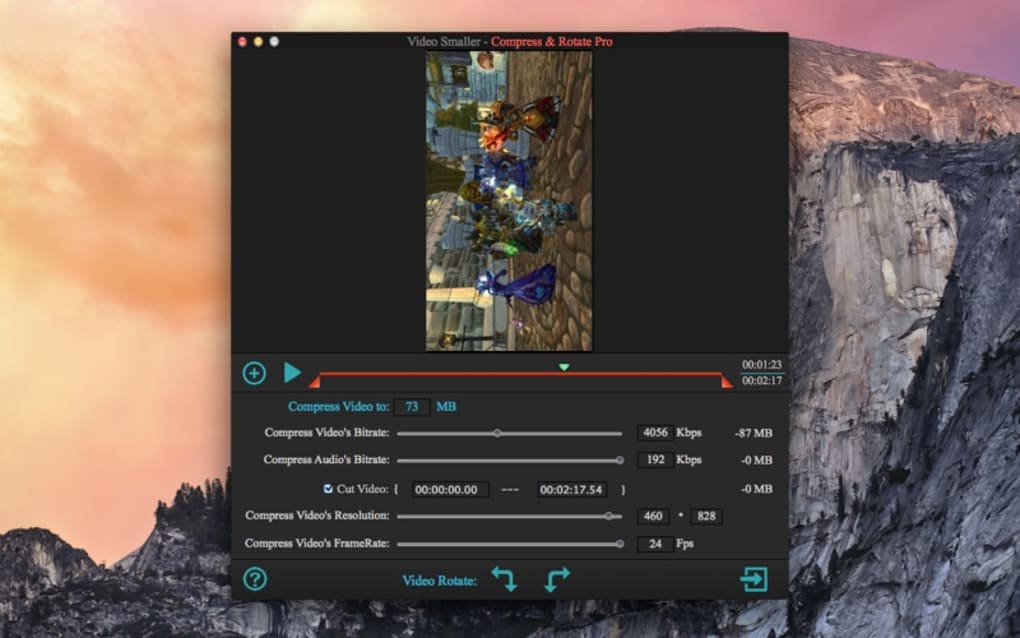
Once installed, launch the program and you’ll see a clean main window with three primary panels: Source, Settings, and Output. Drag‑and‑drop your video file into the Source area, or click “Browse” to locate it on your device. In the Settings panel, choose a preset (e.g., “Phone 720p”) or click “Custom” to manually enter width, height, and bitrate values.
If you need to cut a segment, click the “Trim” button, set start and end times, and confirm. The Output panel lets you select a destination folder and preview the estimated final size. Press “Compress” and the app will display a progress bar; upon completion, a notification appears with a “Play” button to review the result.
The compressed video is saved without overwriting the original file, giving you a safe fallback.
Operating System Support
Video Compress Lite runs on Windows 10/11 (64‑bit), macOS 10.15 Catalina and later, Android 8.0+ (ARM & x86), and iOS 13+. The application leverages native codecs on each platform, ensuring optimal performance without the need for additional plugins. Minimum hardware requirements are modest: a dual‑core CPU, 2 GB RAM, and 200 MB of free disk space for installation. Because the tool processes video locally, it does not depend on an internet connection, which is ideal for users on limited bandwidth or those concerned about privacy.
Pros, Cons & Frequently Asked Questions
Pros
- Free to use with no hidden charges.
- Simple UI that anyone can master in minutes.
- Supports major video formats and codecs.
- Offers both preset and custom compression settings.
- Local processing keeps files private and secure.
- Low system requirements, suitable for older computers.
Cons
- Free version adds a large watermark to output videos.
- Maximum compression may degrade quality noticeably.
- Lacks advanced editing tools (e.g., transitions, filters).
- Batch processing UI is functional but not as polished as paid alternatives.
- Premium upgrade required for 4K support and hardware acceleration.
FAQ
Can Video Compress Lite compress 4K videos?
The free Lite version can import 4K files but only offers down‑scaling to 1080p or lower. Full 4K output is reserved for the paid upgrade.
Is there a limit to how many videos I can compress per day?
No. The free version imposes no daily limits; you can compress as many files as your hardware can handle.
Will my original video be overwritten?
No. Video Compress Lite always saves the compressed file to a separate location you specify, preserving the original untouched.
How does the watermark appear on the output?
A semi‑transparent “Video Compress Lite” logo is placed in the lower‑right corner of the video. The watermark is removed automatically after purchasing the full version.
Is the software safe from malware?
Yes. The official installer is digitally signed and distributed via the developer’s website and official app stores, ensuring a clean, ad‑free experience.
Conclusion & Call to Action
Video Compress Lite fills a niche for users who need a fast, free, and secure way to shrink video files without diving into complex editing suites. Its straightforward UI, cross‑platform availability, and ability to trim, re‑scale, and adjust bitrate make it a practical tool for students, marketers, and casual creators alike. While the watermark in the free version can be a drawback for professional use, the upgrade path is reasonably priced and instantly removes the branding while unlocking higher‑quality presets. If you regularly share videos on social media, need to free up storage, or simply want a quick way to adapt a high‑resolution clip for mobile playback, give Video Compress Lite a try. Click the download button below, run the installer, and start compressing in seconds—your storage space and bandwidth will thank you.
Pros: Free, easy to use, supports major formats, local processing, low system demand.
Cons: Watermark on free version, limited 4K support, basic UI for batch jobs.







